English
Info
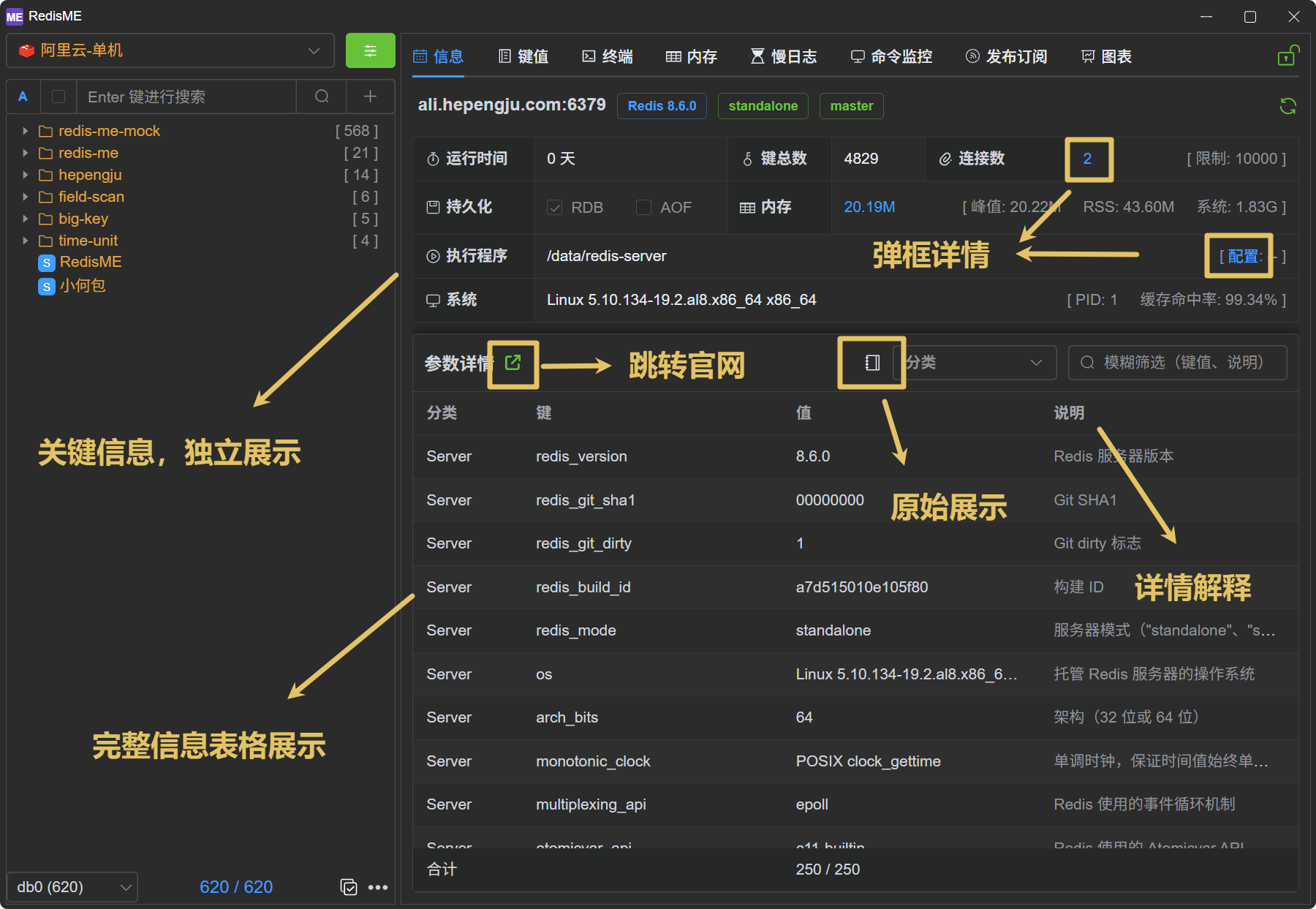
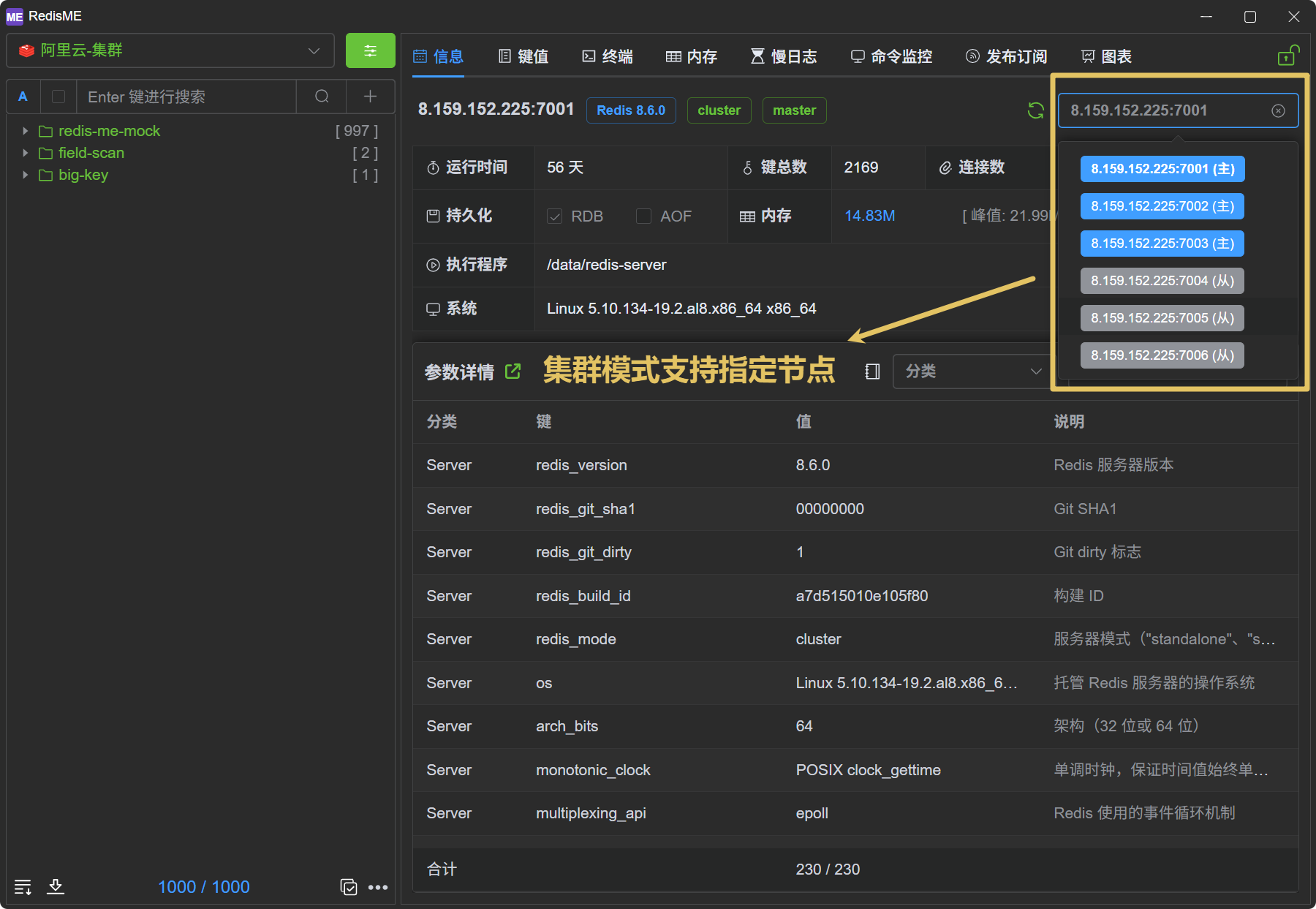
The info page (info) in RedisME is the default tab when entering a connection, displaying key server information at a glance.
Overview
- Key Highlights: Version, mode, role, uptime, and other important metrics are prominently displayed with view details support
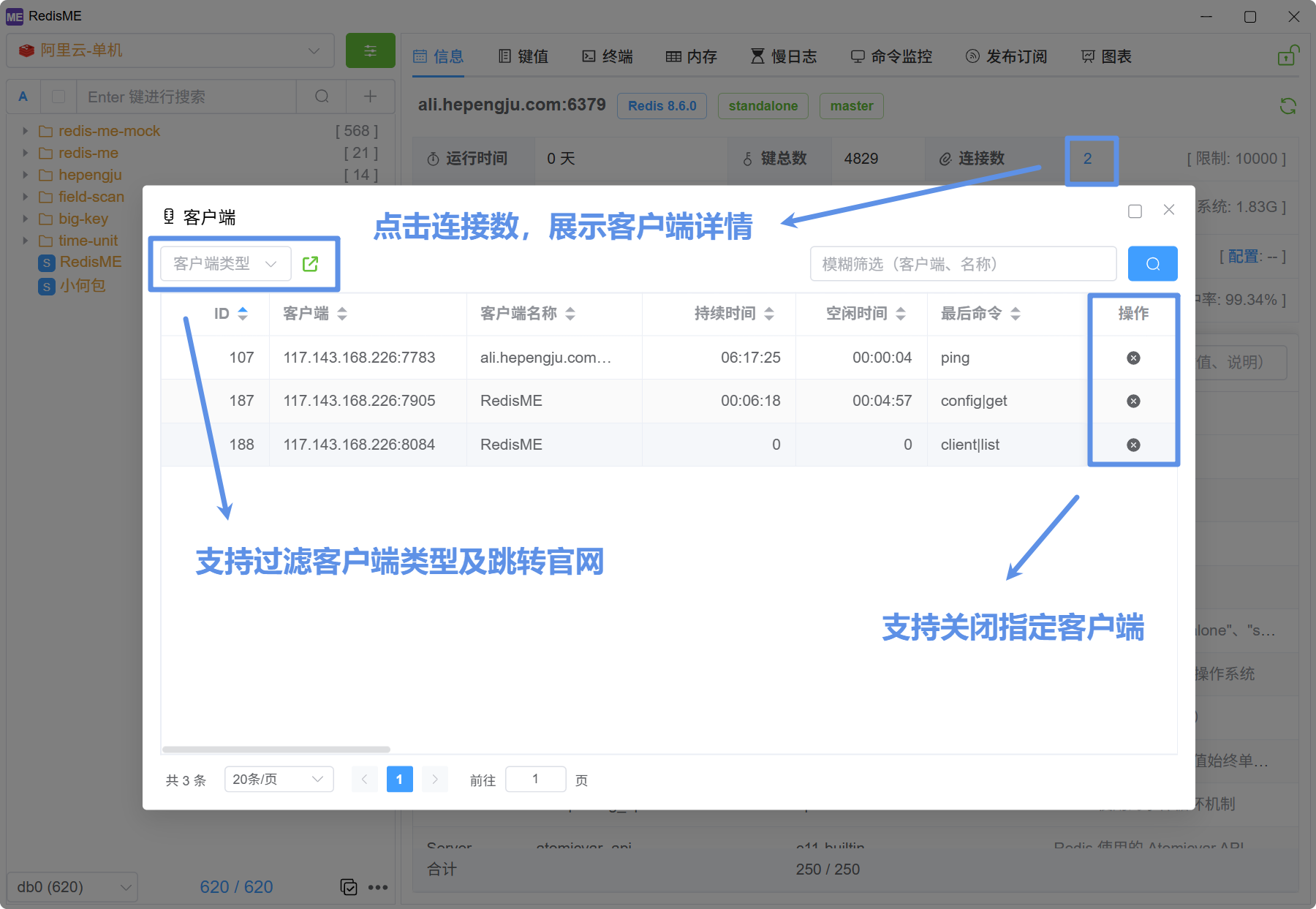
- Client Details: Click on the connection count to open a modal showing client details (
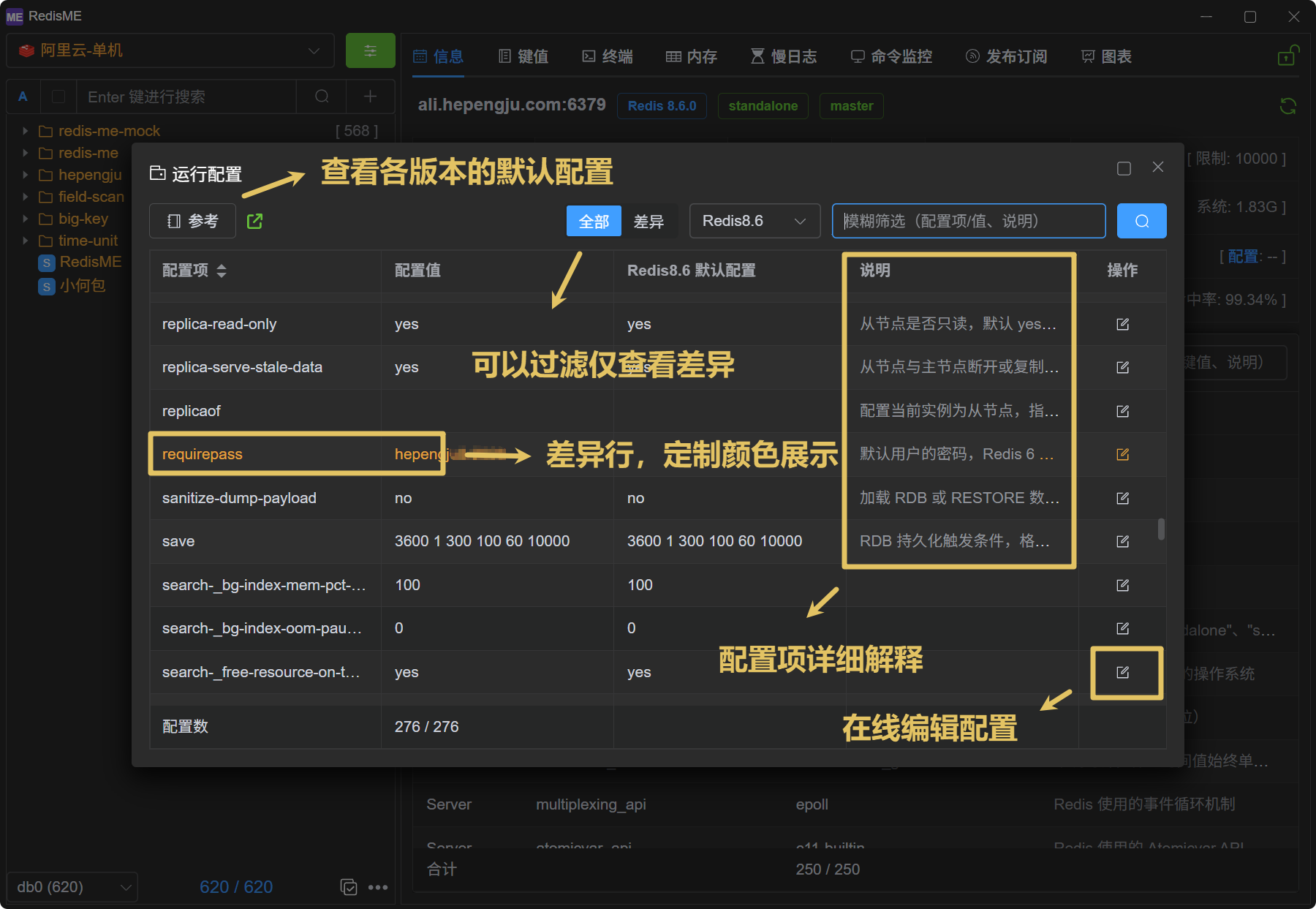
client list), with support for closing specific connections - Config Modal: Click on configuration to show config details (
config get)- Supports comparison with default values (across versions) and filtering, with differences highlighted in color
- Supports viewing the official default configuration file for customized configuration
- Provides detailed explanations for configuration items
- Supports editing configuration directly in the UI
- Memory Navigation: Click to jump to the memory analysis tab to find large keys (
memory usage) - Categorized Display: Information is displayed in tables grouped by module, with detailed explanations for each key
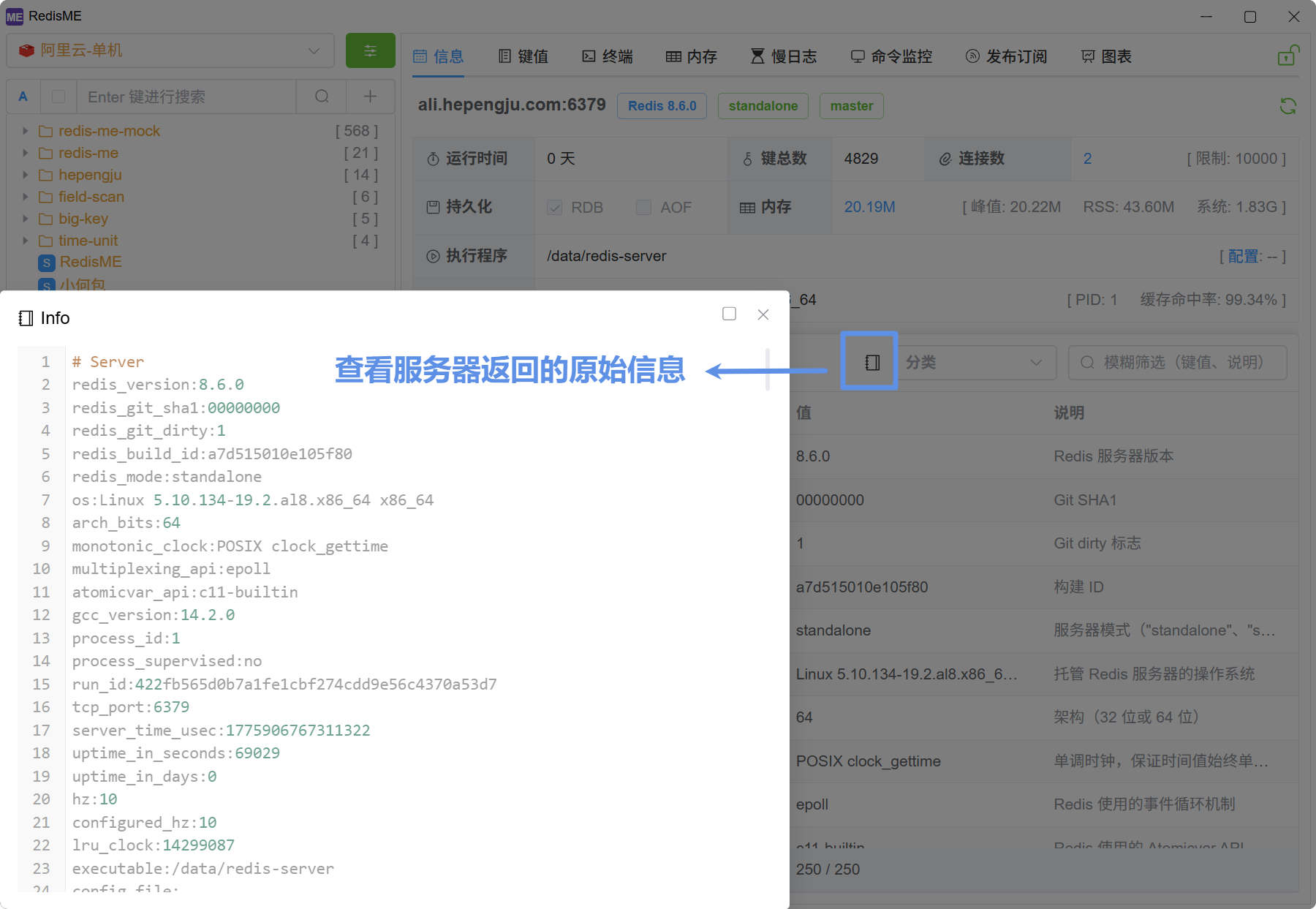
- Raw Info: Click the book icon to view the raw info output
- Specify Node: In cluster mode, supports fetching info for specific nodes