English
Memory Analysis
The memory analysis feature in RedisME is built on the Redis MEMORY USAGE command, which helps you find large keys.
Feature Overview
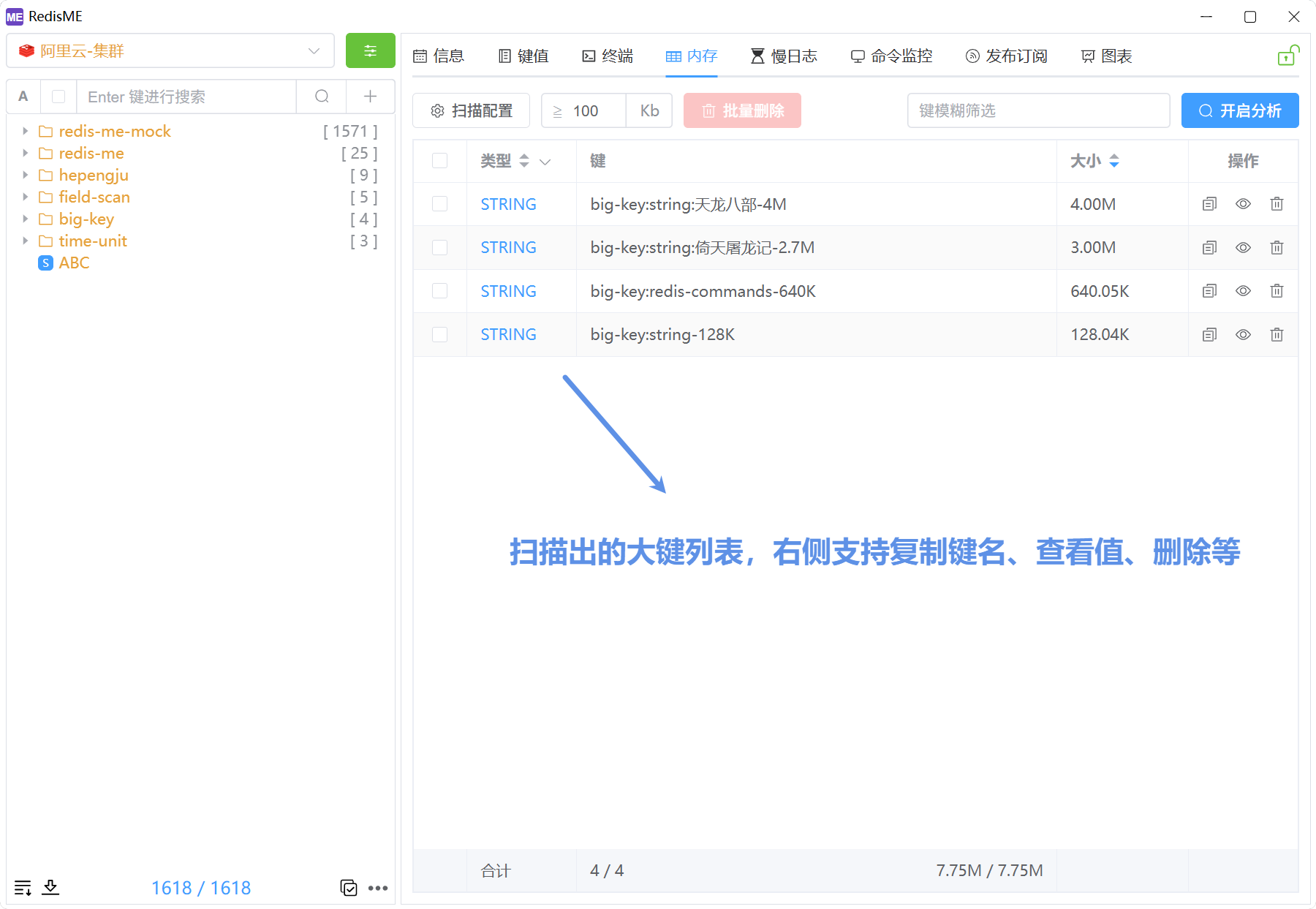
- Large key scan: Analyze keys that match your criteria and show type, name, size, and more; supports fuzzy matching.
- Large key actions: Copy key names, view values, delete keys, and batch-delete multiple selected keys.
- Scan control: Progress ring to pause/resume; the right-hand button toggles Start / Stop. Results appear in the table as the scan runs.
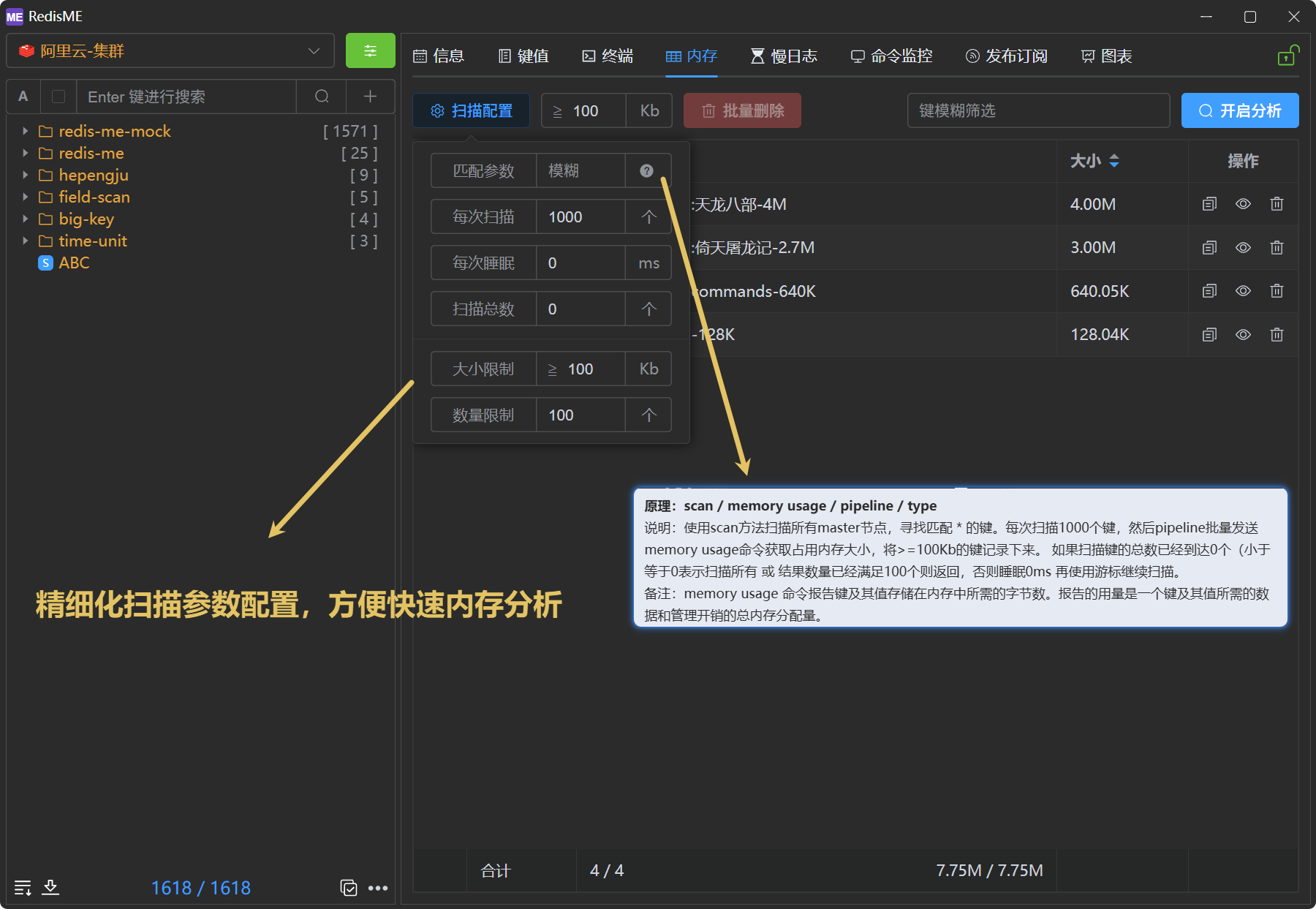
- Scan tuning: Batch size per scan, delay between rounds, and minimum size threshold.
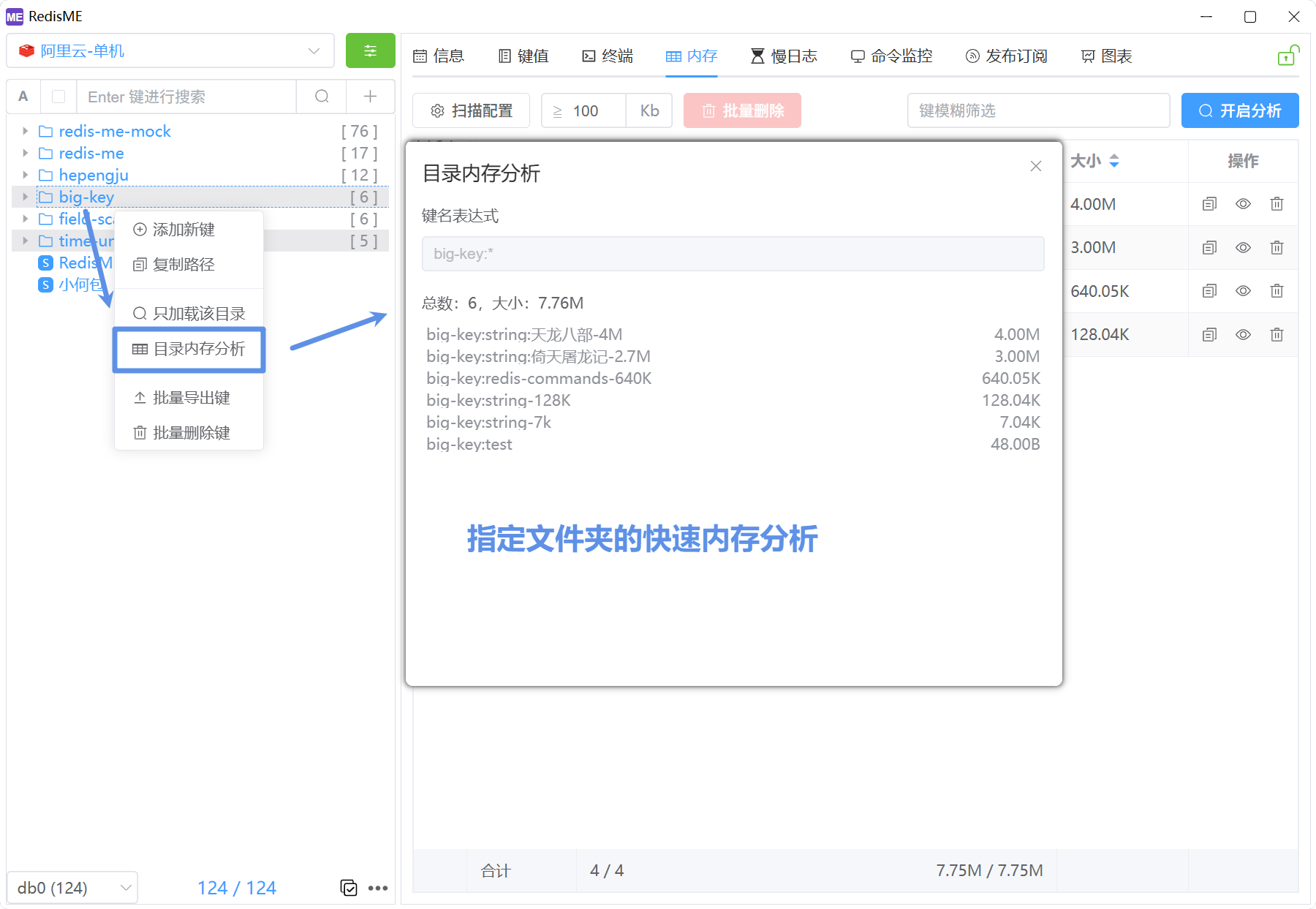
- Folder quick memory analysis: Right-click a key folder in the left sidebar to quickly analyze memory usage of keys under that folder.