English
Terminal
Although the RedisME GUI supports most scenarios, running commands in the terminal is still indispensable.
Feature Overview
- Execution & Output: Enter a command and press Enter to run
- Command History: Navigate with ↑ / ↓
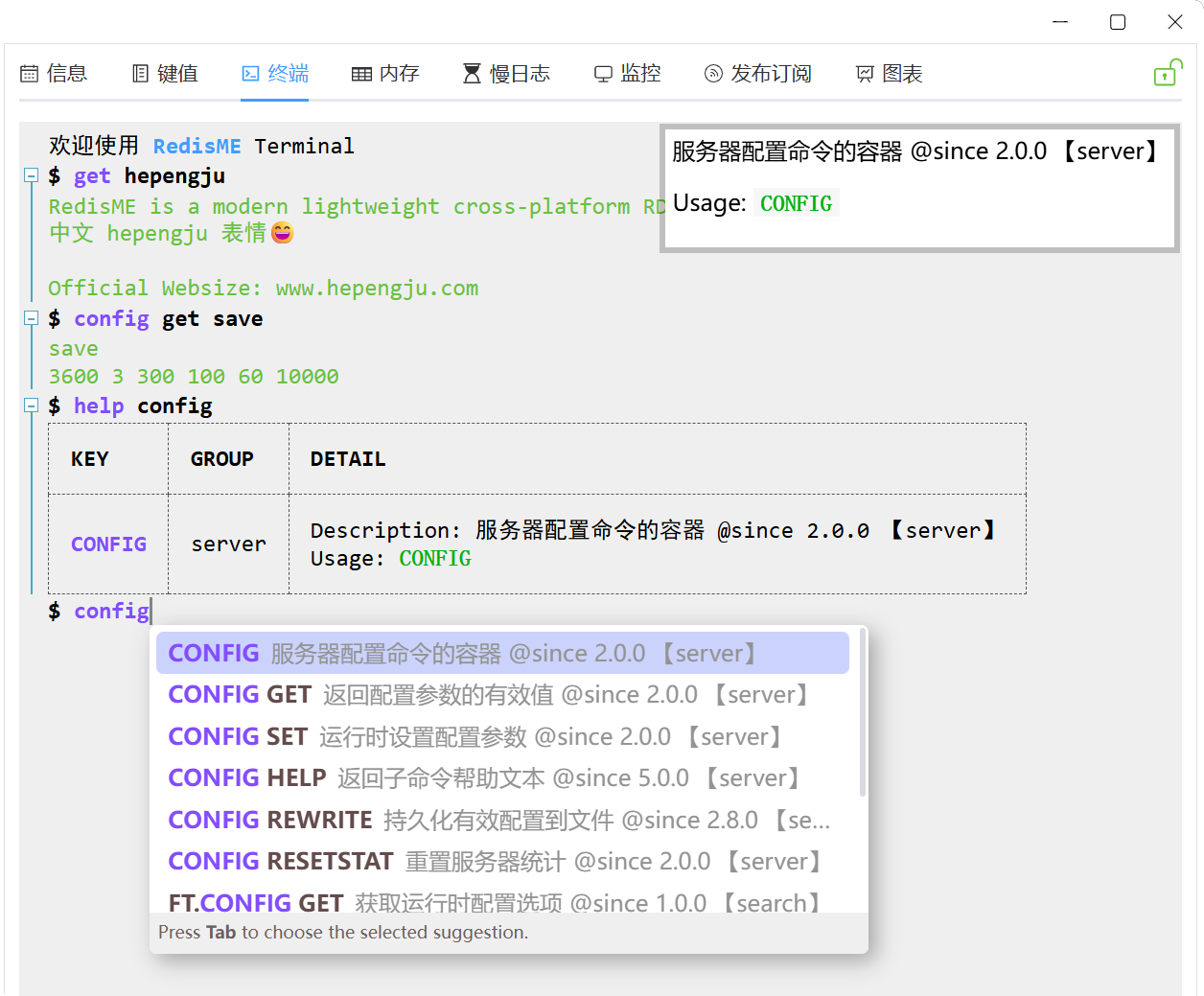
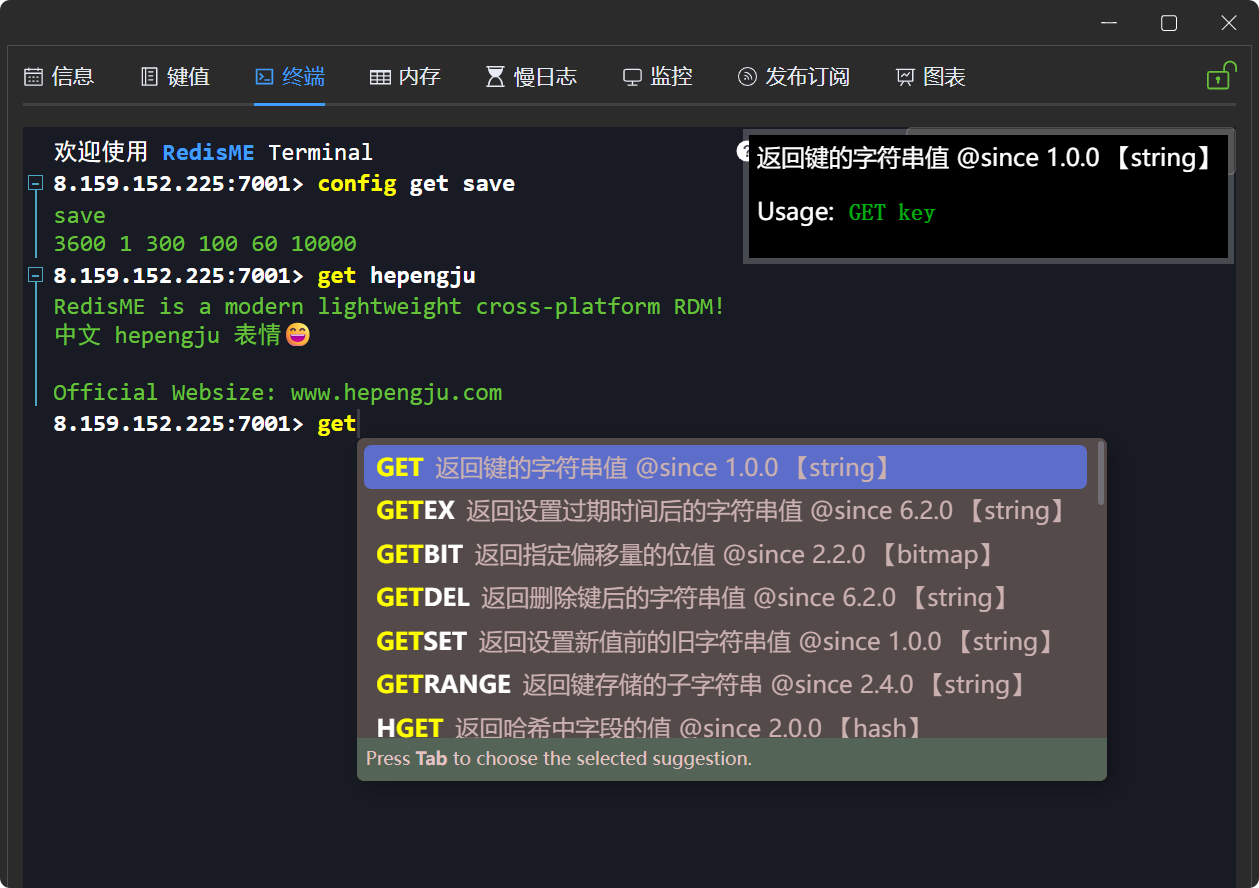
- Hint & Completion: Command usage hints and Tab completion
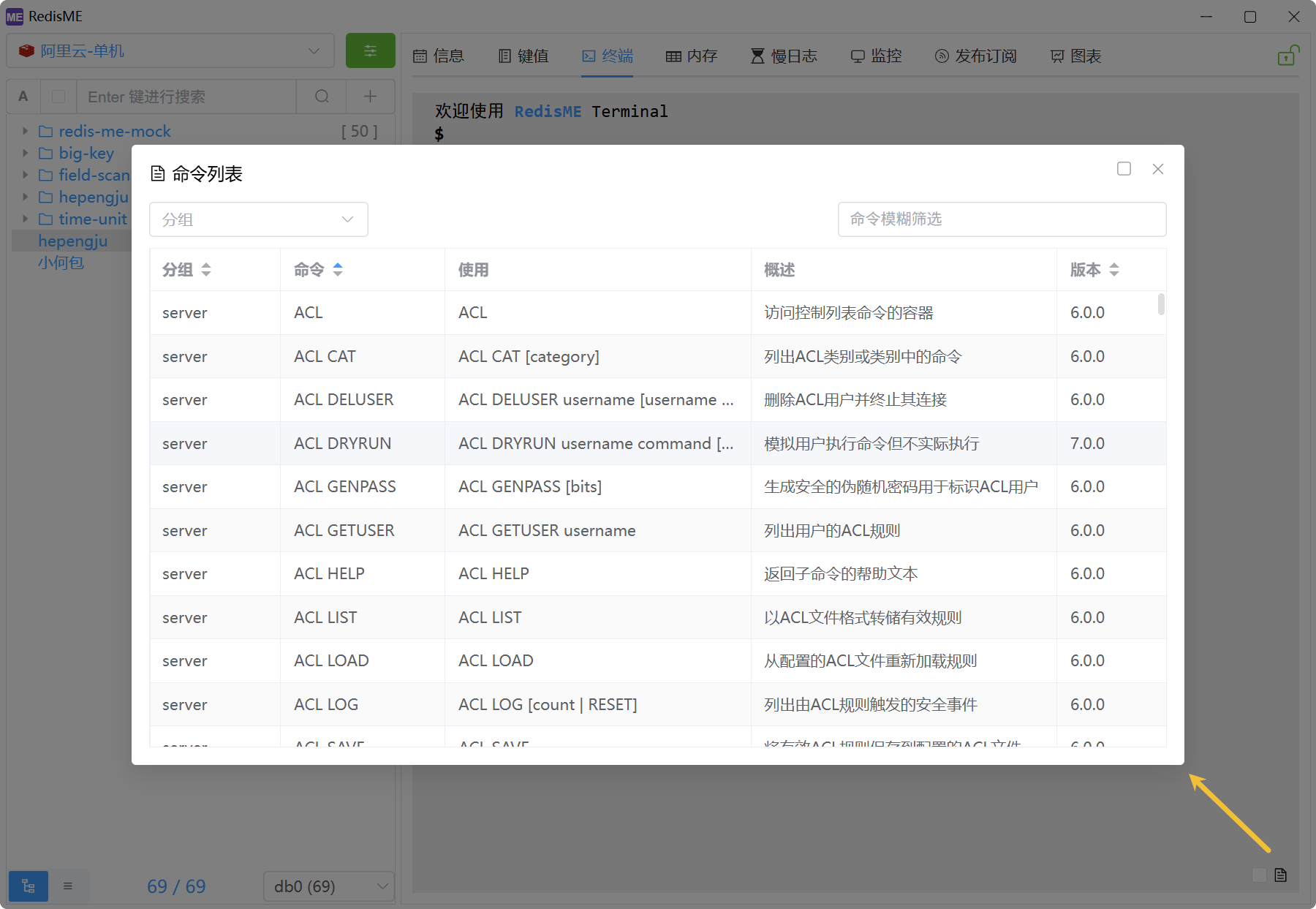
- Command List: Click the icon to view command groups, syntax, descriptions, etc.
- Shortcuts: Ctrl+L/C/A/E for clear screen/stop current command/move cursor to start/end; F11 for fullscreen
- Extended Features: Collapsible command output, selection copy, right-click paste, auto-copy results, etc.
- Built-in Commands: clear to clear screen, help for help, open to open a URL
- Cluster Mode: Automatic command broadcasting, execution on specified nodes
- When auto-broadcast is enabled and no node is selected, commands such as
CONFIG SETandSLOWLOG RESETare executed on all nodes - Node specification is usually unnecessary; manual selection is only for special scenarios like viewing configurations of a specific node
- When auto-broadcast is enabled and no node is selected, commands such as
Design History
The terminal of RedisME has gone through three major full rewrites and is now increasingly mature.To support both Chinese and English and achieve better performance, command hints are pre-downloaded from the official Redis repository, preprocessed, and built into the program.
1. Based on Xterm.js (v0.1 ~ v1.2)
Xterm.js implements a full‑featured terminal in the browser and is widely used in web SSH clients, online IDEs, CLI tools, etc.It was chosen initially because of familiarity from previous projects and because TinyRDM also uses Xterm.js.Shortcuts, command history, and other basic features required manual implementation, which was relatively straightforward. Handling cursor movement and half‑character backspace issues with Chinese input, as well as backspacing when commands exceed one line, proved extremely difficult. Xterm.js is therefore more suitable for scenarios where all characters are forwarded to the backend via WebSocket, rather than the current requirements. 
2. Based on Xterminal (v1.3 ~ v1.8)
XTerminal is a lightweight, high‑performance frontend library for building command‑line interfaces in browsers.It works well for the typical flow: input command → execute → display result.Command history is built‑in; only shortcuts required manual addition, meeting basic needs. Displaying the command manual and implementing input hints required heavy custom development. 
3. Based on vue-web-terminal (v1.9 ~ lastest)
vue-web-terminal is a powerful imperative web‑based emulated terminal plugin.It supports drag, resize, cursor control, history navigation, and other typical terminal behaviors,making it ideal for building clients for Redis, MySQL, ETCD, and similar tools.It satisfied requirements with minimal customization and was a perfect fit.